An iPhone porn blocker you can't talk yourself out of.
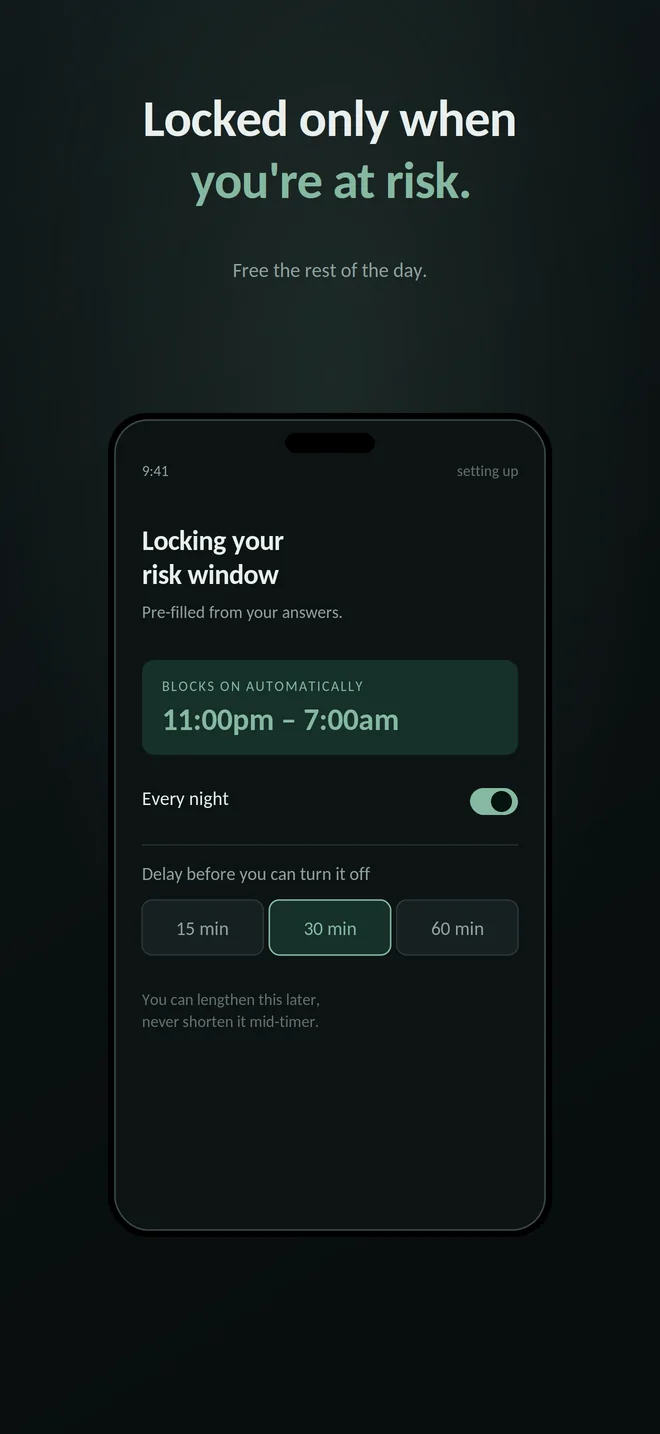
Shield the apps you choose during the hours you choose. Turning protection off requires both a wait you set in advance and a changing set of tasks.
- No account
- No server
- On-device data
Protection stays on while the timer runs and you complete the tasks.
Cancel this requestThe problem
You've deleted a blocker at 1am before.
Everyone in this category has. You install something on a Sunday afternoon, when quitting feels obvious and easy. Then Tuesday night happens.
The version of you that installs a blocker and the version that removes it are not the same person, and they never meet. The Sunday one is thoughtful and has time. The 1am one needs about forty seconds and a settings screen. Most blockers give it both.
Nothing in a normal blocker sits between those two moments. That gap is the entire product here.
This one doesn't let you.
How it works
Turning it off takes as long as you decided it should.
This is the whole idea. Not a bigger blocklist, not a stricter filter — a delay between wanting protection off and having it off.
-
You choose the delay during setup
15, 30 or 60 minutes. You pick it on day one, before it costs you anything.
-
Asking to turn it off starts a countdown
Protection stays fully on while the timer runs and you complete a set of tasks. Nothing unlocks until both are done.
-
The timer cannot be shortened
A running countdown can never be brought forward — not in settings, not by force quitting, not by reinstalling. And shortening the delay itself takes effect only after your current delay has passed, so it's never available in the moment you'd use it to get around the wait. Lengthening applies straight away.
-
Cancelling is instant, and it's the bright button
“Cancel this request” is the loud, sage-coloured option on that screen. “Keep waiting” is deliberately dull. The app is not neutral about which one you press.
-
It counts real elapsed time, not the clock
Winding your device clock forward doesn't skip the wait — it restarts it. The app says so plainly rather than accusing you, because a timezone change looks identical from the inside.
-
Deleting your data uses the same wait
Wiping everything would switch protection off, so it goes through the same timer-and-tasks gate. There's no side door.
The delay isn't a punishment. It's the one thing the 1am version of you doesn't have — patience. Thirty minutes is long enough that the urge you're negotiating with usually isn't there at the end of it.
What actually gets blocked
Two separate things, and it's worth being precise about which is which.
Adult websites
Blocked using the content restrictions built into iOS. That's Apple's own classifier deciding what counts as adult — we don't maintain a blocklist, and we don't ship one.
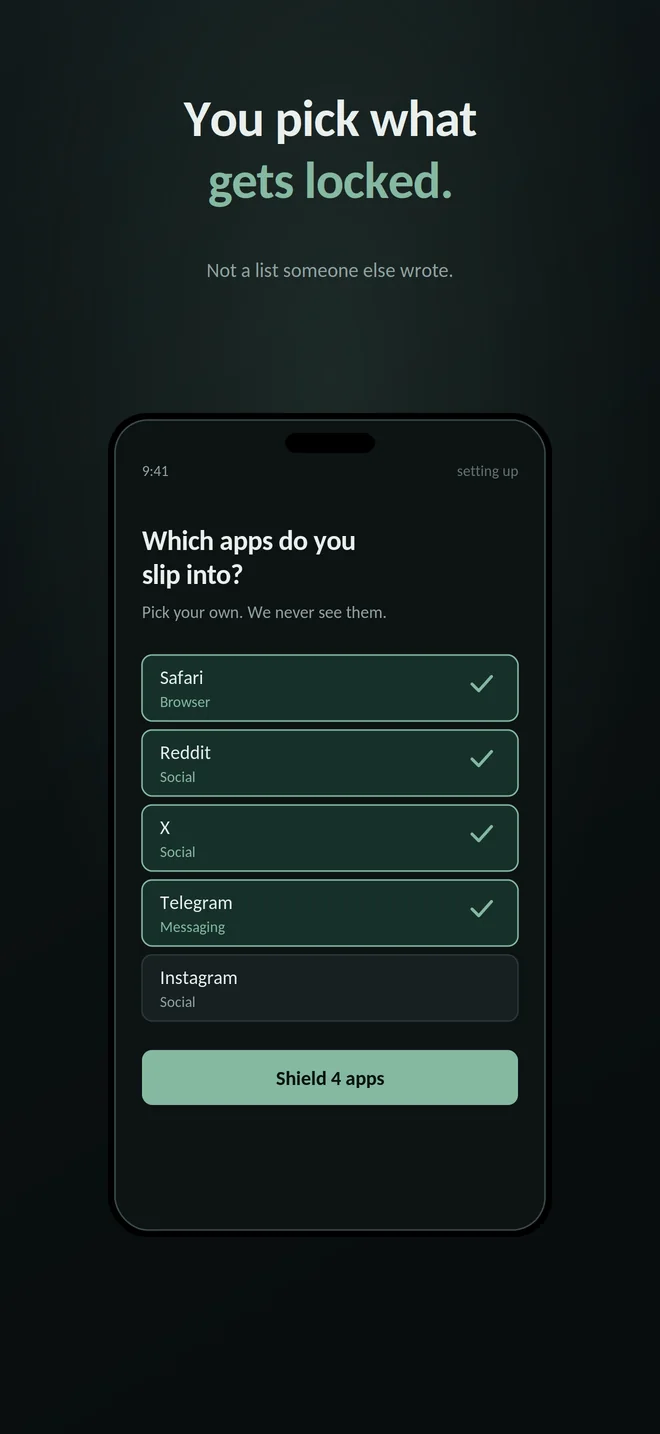
Apps you pick
Shielded during the hours you set. iOS shields an entire app or none of it, so this is all-or-nothing per app. We can't filter what's inside one.
Time plus effort
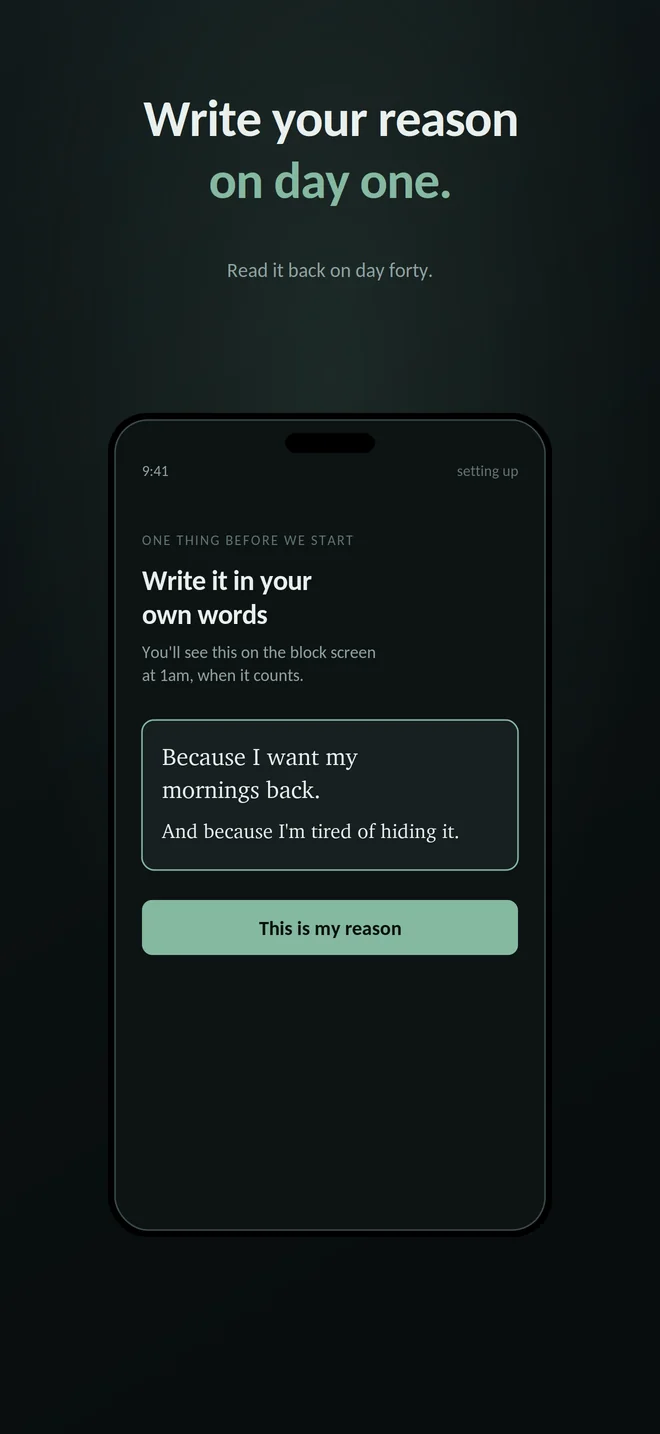
Changing your mind should cost more than a tap.
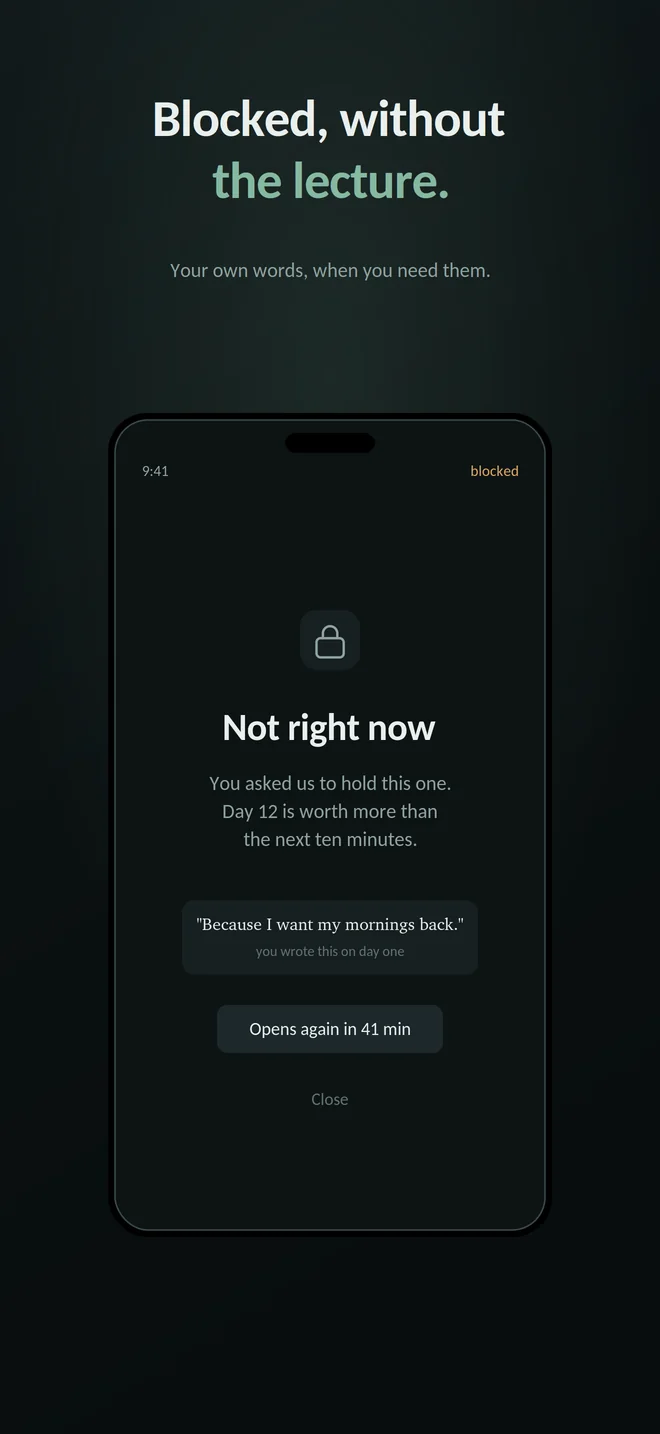
Tap I'm having an urge and the shields go up first. Then RelapseLock gives you a short set of tasks. The protection does not wait for you to finish them.
The same principle applies when you ask to turn protection off. The delay makes unlocking expensive in time; the challenges make it expensive in effort. Both the timer and the task set must be complete before protection can come down.
A different cost each time
You might do push-ups, write three honest lines, complete a step check or solve a puzzle. There are more physical, written and verified tasks, plus games, and the set changes each time so it cannot become one automatic gesture.
Checks stay on the device
Some tasks verify movement or an answer. The outdoor check uses the camera and Apple's Vision framework on your phone; its image is never saved, cached or sent anywhere.
These are deliberate costs, not distractions. The point is to make an impulsive action require time and effort while the shields remain in place.
Goal modes
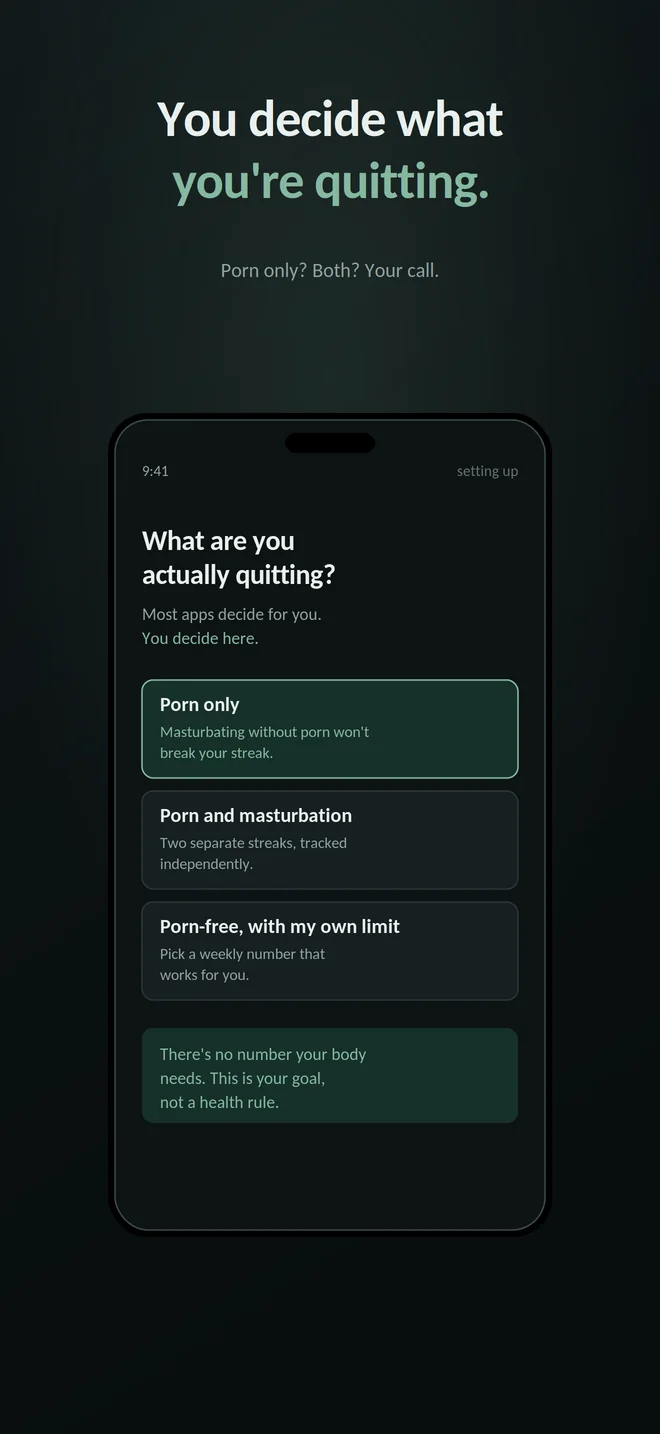
You decide what you're actually quitting.
Most apps in this category decide for you, then treat any deviation as a relapse. RelapseLock asks first, and separates two things the rest of the category insists on merging.
-
Porn only
Masturbation is up to you, and it will never break your streak.
-
Porn and masturbation
Two separate streaks, tracked independently. Neither one resets the other.
-
Porn-free, with your own limit
Porn blocked, and a weekly number you choose for yourself.
There's no number your body needs. A weekly limit here is your goal, not a health rule, and going over it is “over your goal this week” — not a failure and not a medical problem. We make no claims about testosterone, fertility, confidence or mental health, because there aren't any honest ones to make.
Progress
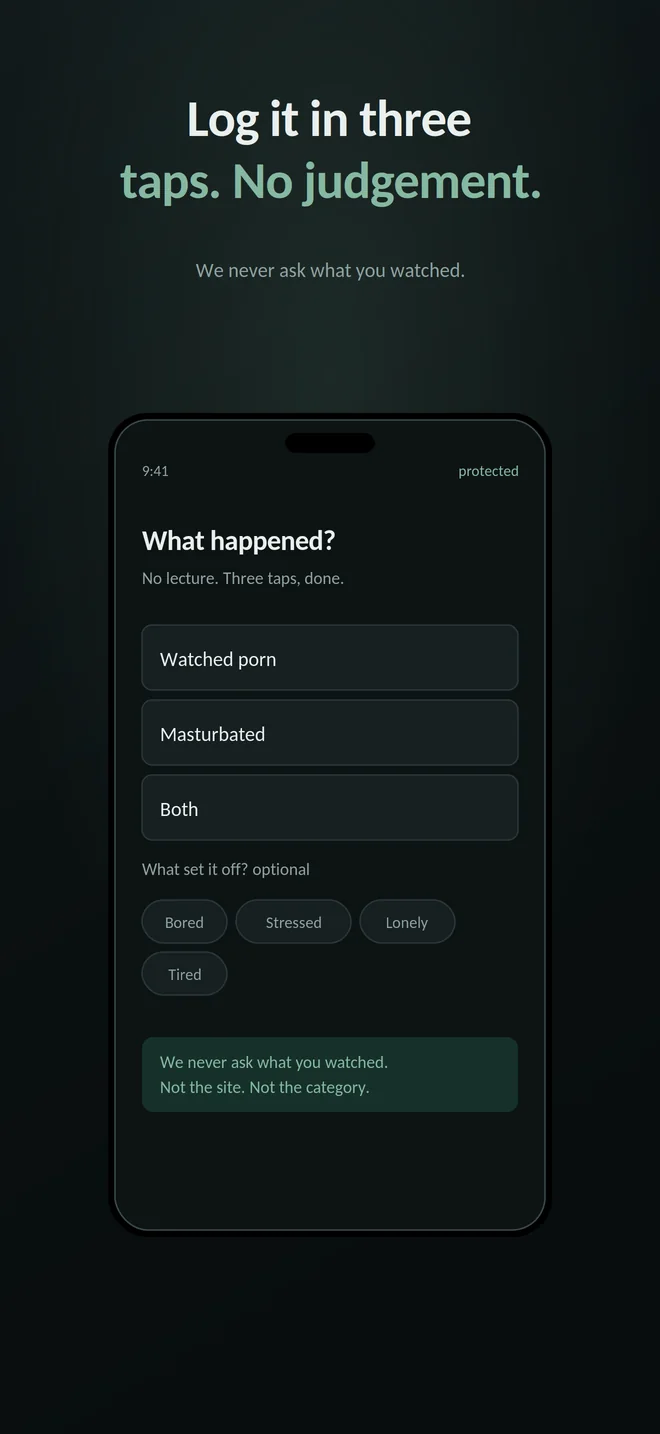
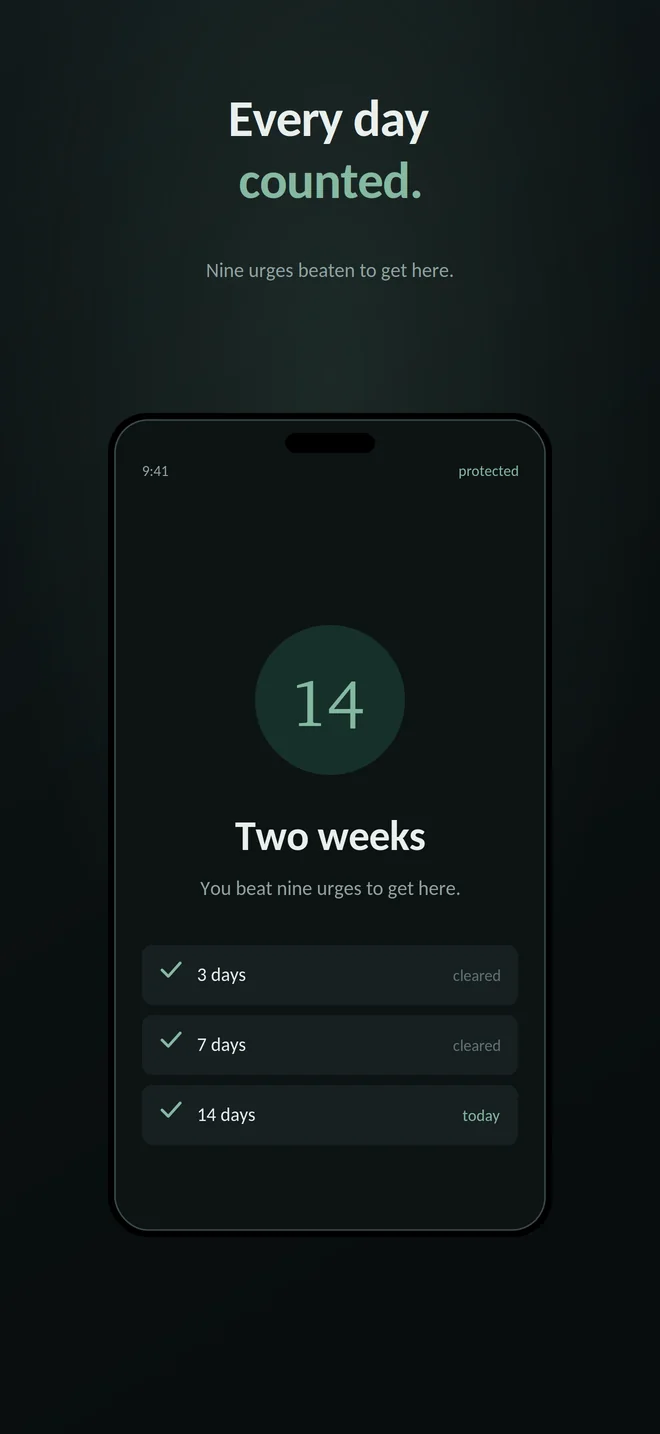
It uses your own logs, and only yours.
If your slips cluster between 11pm and 1am, the app notices and offers to move your Strict Mode schedule onto that window. That analysis happens on your phone, from the entries you typed.
Privacy
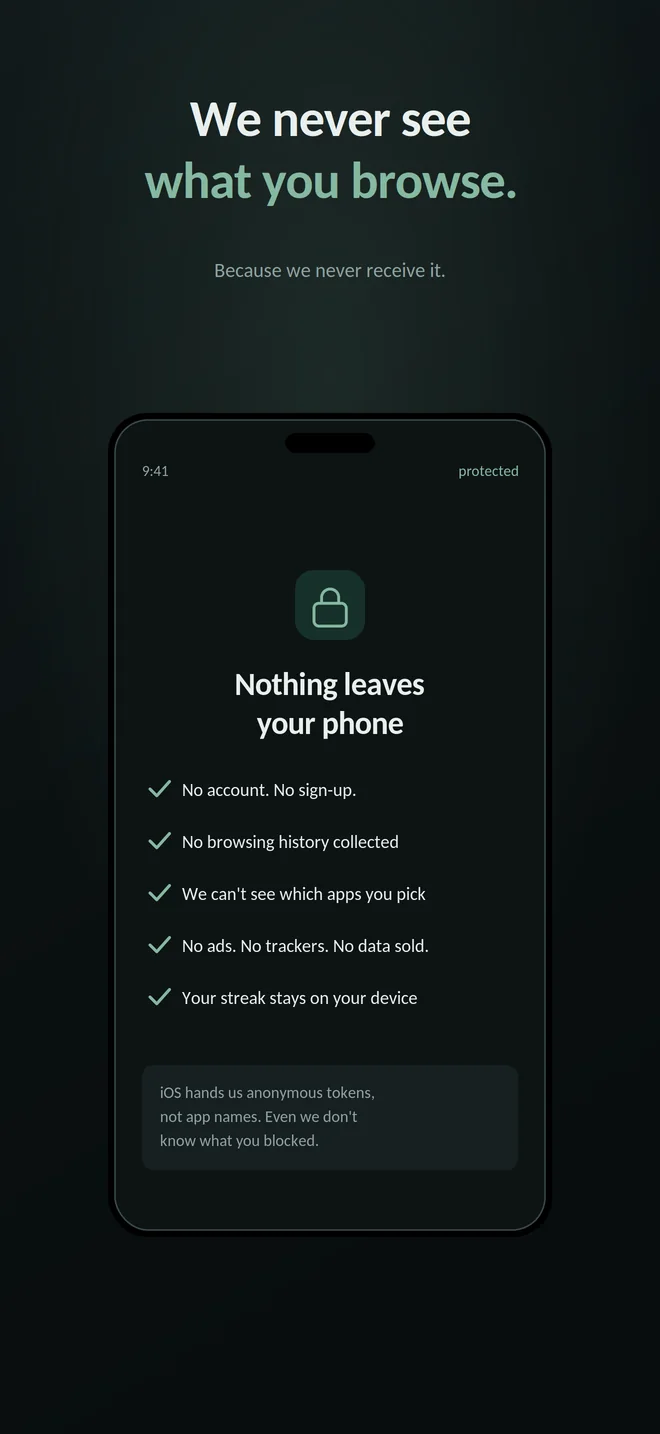
Nothing leaves your phone, and not because we promised.
This version of RelapseLock has no backend. There's no account, no sign-in and no server to send anything to. That's a fact about how it's built, not a policy we could quietly change next quarter.
No account, no sign-up
You never give us an email address. There is nothing to log in to.
No browsing history collected
The app never receives what you visit. Blocking is enforced by iOS, not by us watching traffic.
We can't see which apps you picked
iOS hands us opaque tokens, not app names. Even we don't know what you shielded.
No remote analytics, ads or tracking SDKs
Your streak, logs, settings and simple event totals stay on the device. The app has no backend.
Honestly
What this can't do.
Every app in this category overstates itself, and the one-star reviews all say the same thing: it didn't do what the listing said. So here are the gaps, stated plainly.
-
It can't block porn inside another app
iOS gives us one lever: shield an entire app, or don't. There's no way for any iPhone app to filter the contents of Reddit, Telegram, X or anything else. If that's where it happens for you, shielding the whole app is the only option — and that means losing the rest of the app too, for the whole window.
-
Website blocking is Apple's classifier, not ours
Adult sites are blocked through the content restrictions built into iOS. It's good, and it is not perfect. New, obscure and borderline sites get through it, and when they do there is nothing on our side to fix. We don't maintain a blocklist and we won't claim a number of domains.
-
Some browsers and in-app browsers slip past it
Third-party browsers aren't all covered by the same restrictions, and pages opened inside another app's built-in browser may not be filtered at all. If one gets through, shield that app too.
-
It is not unbypassable, and it doesn't pretend to be
You can revoke Screen Time access in iOS Settings. You can delete the app. What the delay and challenges buy you is time and friction — enough of both that the decision gets made by someone less desperate than whoever started it.
-
Challenge checks are friction, not proof
Games verify their own win conditions, motion can count steps and the outdoor task can classify a photo. Other tasks verify only an on-screen timer, tap count or text length; they cannot prove body movement or intent. If motion is unavailable, or the outdoor check fails twice, the app offers manual confirmation rather than trapping you behind a sensor.
-
The camera and motion are used only for specific tools
The urge mirror is a live camera preview with no capture output. The outdoor task checks one image in memory with Apple's Vision framework and discards it. The walk task reads only the step count reported after it starts. No image or step count is saved or transmitted.
-
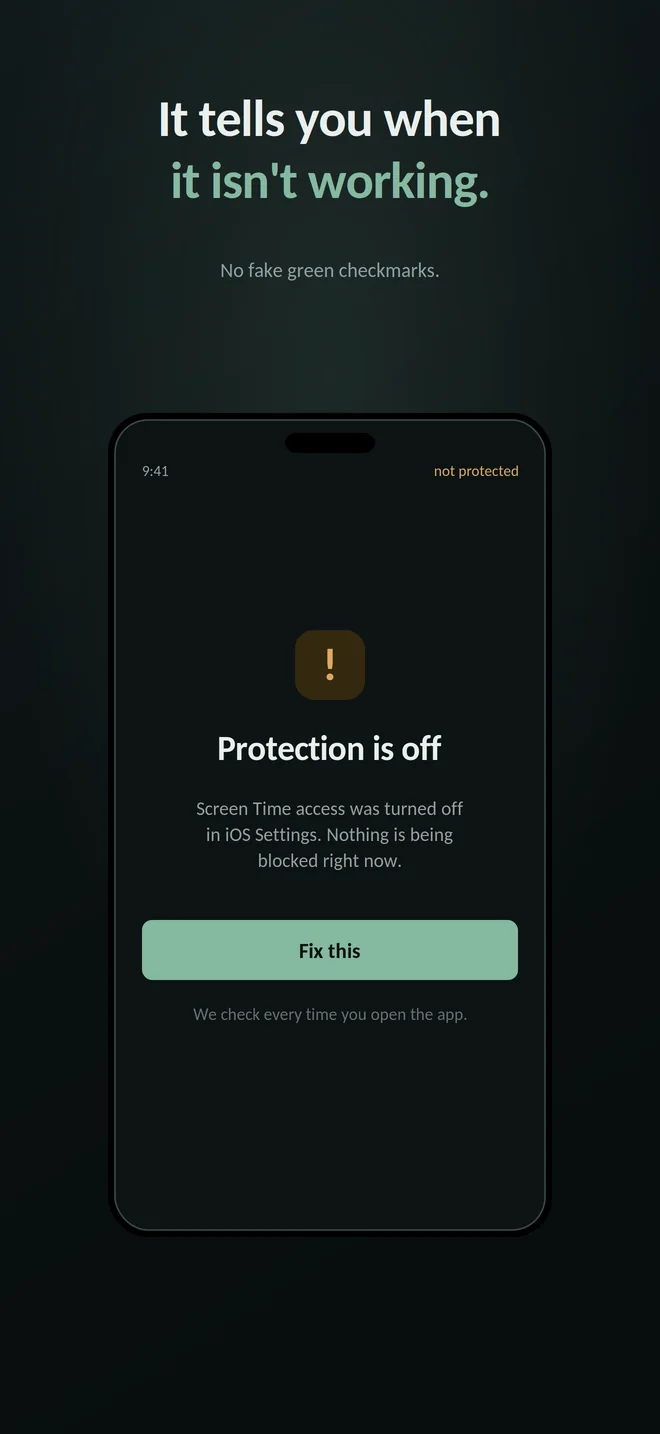
It tells you when it isn't working
If Screen Time access gets turned off, the app says Protection is off, nothing is being blocked right now and checks every time you open it. A green checkmark over a broken blocker is worse than no blocker at all.
-
It isn't treatment
RelapseLock is a blocking and tracking tool, not therapy and not a medical device. If this is affecting your life in ways you can't manage on your own, please talk to a professional.